Buy myadpack.eu ?
We are moving the project
myadpack.eu .
Are you interested in purchasing the domain
myadpack.eu ?
domain@kv-gmbh.de · 0541-91531010
Buy myadpack.eu ?
Why is McAfee blocking my internet access?
McAfee may be blocking your internet access due to a variety of reasons, such as a potential security threat detected on a website or a network, a misconfiguration in the McAfee settings, or a conflict with another program or firewall. It is also possible that McAfee's firewall settings are too strict, causing it to block certain websites or internet connections. To resolve this issue, you can try adjusting the McAfee settings, checking for any conflicting programs, or contacting McAfee support for further assistance. **
What should I do if McAfee has found an internet threat?
If McAfee has found an internet threat on your device, it is important to follow the recommended actions provided by the software. Typically, McAfee will prompt you to quarantine or remove the threat to prevent any further damage to your system. It is advisable to follow these instructions promptly to ensure the security of your device and data. Additionally, you may want to run a full system scan to check for any other potential threats that may be present on your device. **

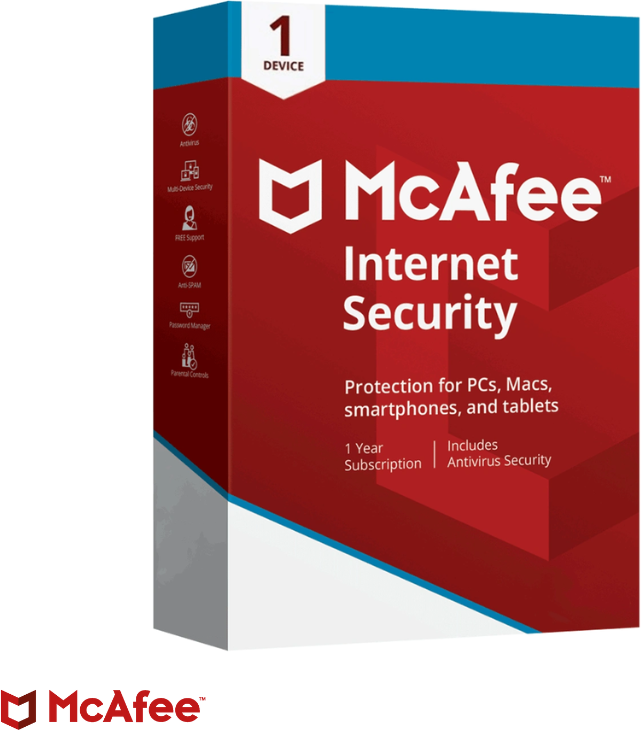
Similar search terms for McAfee-Internet-Security-10
Top-Angebote
Products related to McAfee-Internet-Security-10:
-
Bitdefender Internet Security 2025 - 1 Year Licence / 3 PCsBitdefender Internet Security 2025 - 1 Year Licence / 3 PCs Give up to three of your Windows PCs the ultimate defence against all kinds of online threats with a 1-year licence for Bitdefender Internet Security 2025 . In today's complex digital world, a simple antivirus is not enough. You need a comprehensive security suite that actively protects your data, your privacy and your family from every angle. Bitdefender's award-winning technology provides multiple levels of protection without compromising the speed and performance of your PC. This licence is the perfect, cost-effective solution for securing multiple computers in your home. Key features of Bitdefender Internet Security 2025: The Best Protection on the Market: Defend your PCs from all kinds of malware, including viruses, worms, Trojans, ransomware, zero-day exploits, rootkits and spyware. Bitdefender consistently scores high in independent lab tests. Defence against Advanced Threats: It uses sophisticated behaviour-based detection to monitor active apps. The moment it detects suspicious activity, it acts instantly to prevent infection. Multi-level ransomware protection: A dedicated, layered approach to protect your most important files from encryption and ransom demands. Secure Online Payments and Shopping: Use Bitdefender Safepay™, a unique and dedicated browser that secures your transactions to prevent fraud and financial data theft. Powerful Firewall and Wi-Fi Security: The network firewall blocks intrusions and filters traffic. It also assesses the security of your Wi-Fi network and router, wherever you connect. Privacy Protection: Webcam and Microphone: Prevent unauthorised access to your webcam and microphone, ensuring that your private conversations remain private. Full Parental Control: A vital tool for families. Filter inappropriate content, limit screen time and monitor your children's location to keep them safe online and offline. Optimised Performance: All this power has no impact on system speed. Bitdefender's optimisation technologies ensure that your PC always runs at peak performance. What you will receive immediately: An Official Activation Code for Bitdefender Internet Security 2025. Validity of the Licence for 3 PCS for 1 full year (365 days). Official Download Link to download the latest version of the software from Bitdefender Central. Simple and Detailed Instructions for quick and hassle-free installation. Don't leave your digital life undefended. Equip your PCs with the best security on the market. Buy your Bitdefender Internet Security 2025 licence today and surf with peace of mind!28,15 £*Shipping: 0,00 £Secure redirect to the provider
-
KASPERSKY INTERNET SECURITY 2023/2024/2025 - 1 YEAR 1 DEVICEMaximum protection for your online activities and your privacy Protect your browsing, shopping, chatting and data-sharing activities on PCs, Macs and Android devices. Download our award-winning antivirus software and a range of tools designed to safeguard your privacy and identity. This solution also includes: Free VPN with a daily traffic limit of 300 MB Safe Money for encrypting online payments and transactions Webcam protection to prevent unauthorised access to the webcam Windows® macOS® Android™ Comprehensive protection against cyber threats Protection against hackers Anti-ransomware and network security measures prevent hackers from gaining access to your home network and stealing your data. Anti-Virus The real-time anti-virus feature protects you from common threats, such as worms and Trojans, as well as more sophisticated ones such as botnets and rogue software. Anti-Malware The advanced anti-malware functionality neutralises threats such as man-in-the-middle attacks, keyloggers, adware, spear phishing and rootkits. Reliable privacy protection Secure network Maximum privacy and freedom online with a VPN Encrypt your data on unsecured public Wi-Fi networks Hide your IP address so that even your ISP cannot see it Prevent your online activities from being tracked Connect to ultra-fast private servers Safe money Protecting money, digital identity and privacy Payments via an encrypted browser Prevent identity theft with anti-phishing protection Prevent keyloggers from recording your keystrokes Improve the security of your Android apps What does Kaspersky Internet Security include? Anti-virus protection Multi-layered protection designed to detect, isolate and remove all types of malware. Protection against hackers Prevent hackers from gaining access to your devices and stealing your data. High-tech protection The high-tech scan detects complex threats such as the most elusive fileless attacks. Privacy tools They enable you to encrypt your browsing history and online data, whilst blocking spy apps that use webcams and stalkers. Home security Features designed to keep you safe when using Wi-Fi and your home devices. Additional features Tools that help you improve your security, the performance of your devices and your digital experience. A single licence for all devices You can choose from licence options for 1, 2, 3, 4 or 5 devices, so you can get the comprehensive protection you need. Operating system Windows®-based systems: Windows 11/10. Mac®: macOS® 10.12 – 12 Mobile devices: Android™ 5–12, iOS® 12–1543,99 £*Shipping: 0,00 £Secure redirect to the provider
-
McAfee Total Protection - 5 Devices 1 Year Key Premium Antivirus & SecurityComprehensive Digital Security for All Your Devices Buy McAfee Total Protection 5 Devices and ensure your digital life is safeguarded. This all-in-one solution offers award-winning antivirus, identity, and privacy protection for up to 5 devices, including PCs, Macs, smartphones, and tablets. Key Features Award-Winning Antivirus: Effectively blocks viruses, malware, ransomware, spyware, and unwanted programs. Safe Web Browsing: McAfee WebAdvisor alerts you to risky websites and prevents dangerous downloads and phishing attacks. FREE Support: Receive comprehensive support via phone, chat, or online throughout your subscription. Multi-Device Management: Easily manage your protection across all devices with a user-friendly web interface. Password Manager: Simplify password management with the secure multi-factor password manager app. File Lock: Secure your personal files with password protection and encryption. Product Information Genuine McAfee Product: 100% authentic and guaranteed. Instant Online Activation: Receive your activation key via email immediately after purchase. Global Compatibility: Supports all language versions and is functional worldwide. Automatic Updates: Enjoy continuous protection with automatic updates for one year. System Requirements Windows: Microsoft Windows 10, 8.1, 8 (32-bit and 64-bit) Mac: Mac OS X 10.12 or later Smartphones and Tablets: Google Android 4.1 or higher Apple iOS 10 or later We provide independent installation help for the license purchased from our store. We are not McAfee official support, and all product rights belong to McAfee.11,21 £*Shipping: 0,00 £Secure redirect to the provider
-
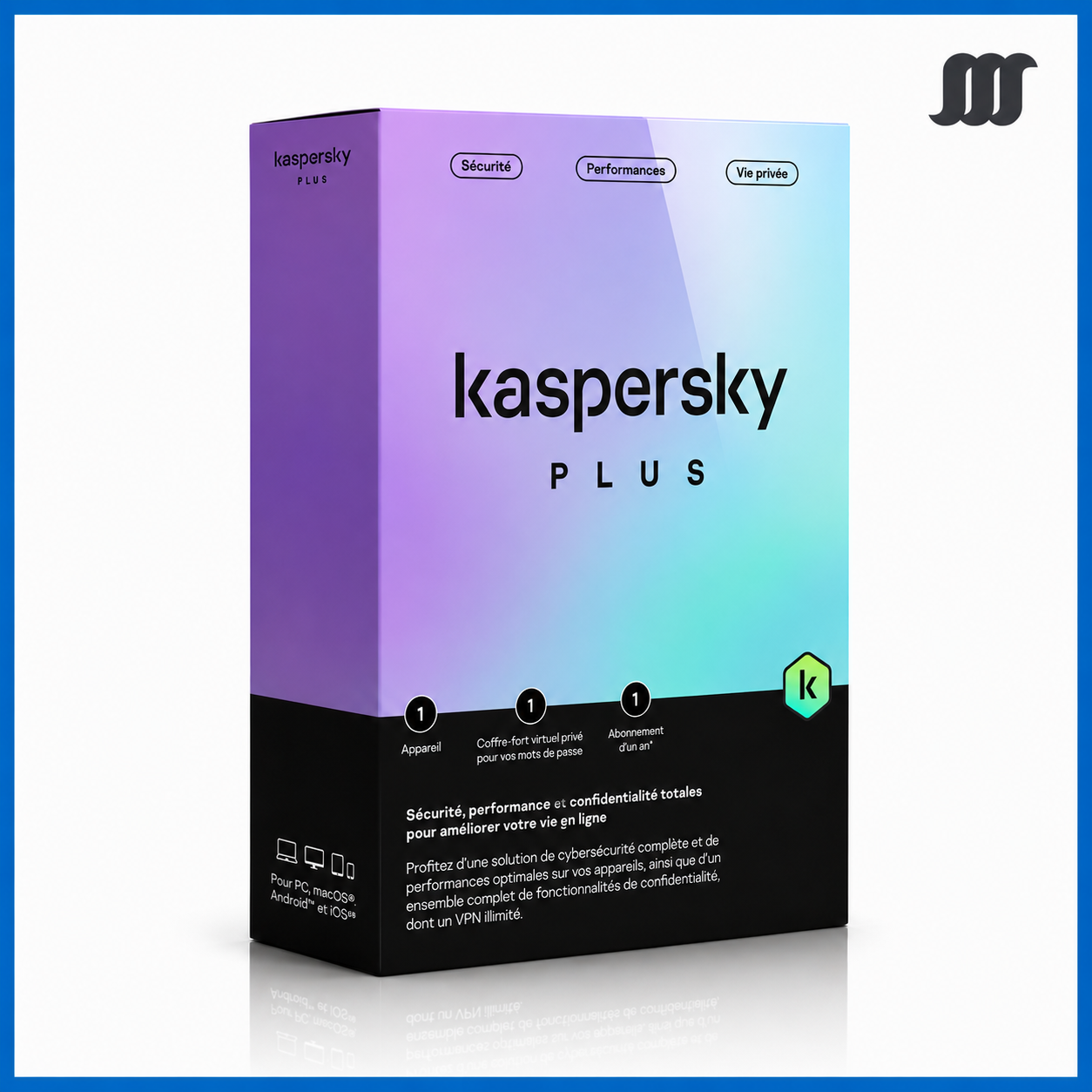
Kaspersky Plus Internet Security (PC, Android, Mac, iOS) (1 Device, 1 Year) – Kaspersky KeyKaspersky Plus Internet Security (PC, Android, Mac, iOS) (1 Device, 1 Year) – Kaspersky Key Protect your digital life with advanced cybersecurity, privacy, and performance tools in one powerful solution. Kaspersky Plus is designed for users who want reliable real-time protection while browsing, banking, shopping, gaming, or working online. This 1-device, 1-year license delivers strong antivirus security combined with premium privacy features and system optimization tools for Windows, Mac, Android, and iOS devices. Key Features Advanced Real-Time Protection Protects your device against: Viruses Malware Spyware Trojans Ransomware Cryptojacking threats Multi-layered security technologies continuously monitor and block suspicious activity in real time. Anti-Phishing & Safe Browsing Browse safely with protection against: Fake websites Dangerous downloads Scam pages Phishing attacks Helps keep your passwords, banking details, and personal information secure online. Secure Online Payments Includes advanced payment protection for: Online banking Shopping websites Financial transactions Adds an extra layer of security when entering sensitive payment information online. Unlimited VPN Privacy Enjoy safer and more private browsing with integrated VPN protection that encrypts your internet connection and helps protect your online activity on public or unsecured networks. Password Manager Store and manage passwords securely while generating stronger passwords for your accounts and online services. Firewall & Anti-Hacking Protection Advanced firewall and anti-hacking tools help prevent unauthorized access attempts, suspicious connections, and ransomware attacks. Performance Optimization Built-in optimization tools help maintain device performance with: HDD health monitoring Storage cleanup Performance improvements Gaming and entertainment modes Designed to provide strong protection without slowing down your system. Why Choose Kaspersky Plus? Advanced all-in-one internet security solution Compatible with PC, Mac, Android, and iPhone/iPad Lightweight protection with minimal system impact Includes VPN and password management tools Easy activation through My Kaspersky account Secure online banking and shopping protection Reliable real-time ransomware defense Ideal for work, entertainment, gaming, and everyday browsing Activation Details License Type: Digital Activation Key Devices Supported: 1 Device Subscription Length: 1 Year Delivery: Instant Digital Delivery Activation: Via My Kaspersky Account Region: Global Activation* * Availability and certain features may vary depending on country or region. System Requirements Supported Operating Systems Windows 11 / 10 / 8.1 / 8 / 7 SP1+ macOS Android iOS Requirements Internet connection required My Kaspersky account required for activation and management Administrator rights may be required for installation Stable internet recommended for VPN features14,94 £*Shipping: 0,00 £Secure redirect to the provider


-
Why is G Data Internet Security blocking my internet?
G Data Internet Security may be blocking your internet connection due to a security feature that is detecting potentially harmful or suspicious activity on your network. This could be a result of a malware infection, a misconfiguration in the firewall settings, or a conflict with another program on your computer. It is important to check the settings of G Data Internet Security to see if any specific websites or applications are being blocked, and to ensure that the software is up to date to prevent any potential threats. **
-
How can internet security be improved?
Internet security can be improved by implementing strong and unique passwords for all accounts, using two-factor authentication whenever possible, keeping software and operating systems up to date with the latest security patches, and using a reputable antivirus and firewall program. Additionally, being cautious about clicking on links or downloading attachments from unknown sources, and being mindful of the information shared on social media can also help improve internet security. Regularly backing up important data and using a virtual private network (VPN) for secure browsing are also effective measures to enhance internet security. **
-
Does the antivirus for Windows 10 not work if McAfee is installed?
Having both Windows Defender (the built-in antivirus for Windows 10) and McAfee installed on the same system can potentially cause conflicts. McAfee may disable Windows Defender upon installation to prevent conflicts, but this can leave your system vulnerable if McAfee fails to provide adequate protection. It is generally recommended to use only one antivirus program at a time to avoid performance issues and ensure comprehensive protection. **
-
What is the Outlook Internet Security Warning?
The Outlook Internet Security Warning is a notification that appears when Outlook detects a potential security risk in an email or attachment. This warning is designed to alert users to potentially harmful content, such as links to malicious websites or suspicious attachments that could contain viruses or malware. It is important to take these warnings seriously and avoid interacting with any content that is flagged as a security risk to protect your computer and personal information. **


How can I cancel Kaspersky Internet Security?
To cancel Kaspersky Internet Security, you will need to log in to your Kaspersky account on their website. Once logged in, navigate to the subscription section and locate the option to cancel your subscription. Follow the on-screen instructions to confirm the cancellation. Keep in mind that you may be required to provide a reason for canceling your subscription. **
Why can't Kaspersky Internet Security be updated?
Kaspersky Internet Security may not be able to be updated due to several reasons such as a poor internet connection, outdated software, or conflicting programs running on the device. Additionally, if the subscription for Kaspersky Internet Security has expired, it may prevent the software from being updated. It is important to ensure that all necessary requirements are met in order to successfully update the security software and keep it functioning effectively. **
Top-Angebote
Products related to McAfee-Internet-Security-10:
-
McAfee Internet Security 10 Devices 1 Year Key GLOBALMcAfee Internet Security – All-in-One Protection Stay safe online with McAfee Internet Security, the ultimate solution for protecting your devices and personal data. Whether you’re browsing, shopping, or streaming, McAfee keeps you secure with powerful antivirus, malware defense, parental controls, and more. Top Features: Advanced Antivirus & Malware Protection Shields your devices from viruses, spyware, and other threats without slowing you down. Spam Blocker Stops annoying and dangerous emails before they reach your inbox. Parental Controls Manage your kids' online activity with website blockers, time limits, and detailed usage reports. Privacy & Cleanup Tools Fix vulnerabilities, clean up junk files, and securely delete sensitive documents. Compatibility: Works with Windows, Mac, Android, and iOS devices. Why McAfee? Trusted protection, easy to use, and keeps your whole family safe online. Get started today and secure up to 10 devices!13,45 £*Shipping: 0,00 £Secure redirect to the provider
-
McAfee Internet Security (1 year, 1 device) Latest Version + Free UpdatesMcAfee® Internet Security provides trusted virus and identity protection for your device, ensuring secure online experiences. Key features : Virus and Malware Protection: Safeguard your device from viruses, malware, and other online threats. Identity Protection: Prevent identity theft and protect your personal information with advanced security measures. Secure Web Browsing: Browse the internet safely with real-time scanning of websites for potential threats. Firewall Security: Protect your device and network from unauthorized access with a robust firewall. True Key App: Simplify password management and enhance security with biometric authentication. System Requirements for MaAfee Internet Security: Operating System: Compatible with Windows, macOS, Android, and iOS devices Processor: 1 GHz or faster RAM: 2 GB (Windows/macOS), 1 GB (Android), 512 MB (iOS) Disk Space: 500 MB (Windows), 600 MB (macOS), varies (Android, iOS) Internet Connection: Required for product activation, updates, and online features. With McAfee® Internet Security, you can confidently navigate the online world knowing that your devices and personal information are protected by trusted security solutions.7,46 £*Shipping: 0,00 £Secure redirect to the provider
-
Bitdefender Internet Security 2025 - 1 Year Licence / 3 PCsBitdefender Internet Security 2025 - 1 Year Licence / 3 PCs Give up to three of your Windows PCs the ultimate defence against all kinds of online threats with a 1-year licence for Bitdefender Internet Security 2025 . In today's complex digital world, a simple antivirus is not enough. You need a comprehensive security suite that actively protects your data, your privacy and your family from every angle. Bitdefender's award-winning technology provides multiple levels of protection without compromising the speed and performance of your PC. This licence is the perfect, cost-effective solution for securing multiple computers in your home. Key features of Bitdefender Internet Security 2025: The Best Protection on the Market: Defend your PCs from all kinds of malware, including viruses, worms, Trojans, ransomware, zero-day exploits, rootkits and spyware. Bitdefender consistently scores high in independent lab tests. Defence against Advanced Threats: It uses sophisticated behaviour-based detection to monitor active apps. The moment it detects suspicious activity, it acts instantly to prevent infection. Multi-level ransomware protection: A dedicated, layered approach to protect your most important files from encryption and ransom demands. Secure Online Payments and Shopping: Use Bitdefender Safepay™, a unique and dedicated browser that secures your transactions to prevent fraud and financial data theft. Powerful Firewall and Wi-Fi Security: The network firewall blocks intrusions and filters traffic. It also assesses the security of your Wi-Fi network and router, wherever you connect. Privacy Protection: Webcam and Microphone: Prevent unauthorised access to your webcam and microphone, ensuring that your private conversations remain private. Full Parental Control: A vital tool for families. Filter inappropriate content, limit screen time and monitor your children's location to keep them safe online and offline. Optimised Performance: All this power has no impact on system speed. Bitdefender's optimisation technologies ensure that your PC always runs at peak performance. What you will receive immediately: An Official Activation Code for Bitdefender Internet Security 2025. Validity of the Licence for 3 PCS for 1 full year (365 days). Official Download Link to download the latest version of the software from Bitdefender Central. Simple and Detailed Instructions for quick and hassle-free installation. Don't leave your digital life undefended. Equip your PCs with the best security on the market. Buy your Bitdefender Internet Security 2025 licence today and surf with peace of mind!28,15 £*Shipping: 0,00 £Secure redirect to the provider
-
KASPERSKY INTERNET SECURITY 2023/2024/2025 - 1 YEAR 1 DEVICEMaximum protection for your online activities and your privacy Protect your browsing, shopping, chatting and data-sharing activities on PCs, Macs and Android devices. Download our award-winning antivirus software and a range of tools designed to safeguard your privacy and identity. This solution also includes: Free VPN with a daily traffic limit of 300 MB Safe Money for encrypting online payments and transactions Webcam protection to prevent unauthorised access to the webcam Windows® macOS® Android™ Comprehensive protection against cyber threats Protection against hackers Anti-ransomware and network security measures prevent hackers from gaining access to your home network and stealing your data. Anti-Virus The real-time anti-virus feature protects you from common threats, such as worms and Trojans, as well as more sophisticated ones such as botnets and rogue software. Anti-Malware The advanced anti-malware functionality neutralises threats such as man-in-the-middle attacks, keyloggers, adware, spear phishing and rootkits. Reliable privacy protection Secure network Maximum privacy and freedom online with a VPN Encrypt your data on unsecured public Wi-Fi networks Hide your IP address so that even your ISP cannot see it Prevent your online activities from being tracked Connect to ultra-fast private servers Safe money Protecting money, digital identity and privacy Payments via an encrypted browser Prevent identity theft with anti-phishing protection Prevent keyloggers from recording your keystrokes Improve the security of your Android apps What does Kaspersky Internet Security include? Anti-virus protection Multi-layered protection designed to detect, isolate and remove all types of malware. Protection against hackers Prevent hackers from gaining access to your devices and stealing your data. High-tech protection The high-tech scan detects complex threats such as the most elusive fileless attacks. Privacy tools They enable you to encrypt your browsing history and online data, whilst blocking spy apps that use webcams and stalkers. Home security Features designed to keep you safe when using Wi-Fi and your home devices. Additional features Tools that help you improve your security, the performance of your devices and your digital experience. A single licence for all devices You can choose from licence options for 1, 2, 3, 4 or 5 devices, so you can get the comprehensive protection you need. Operating system Windows®-based systems: Windows 11/10. Mac®: macOS® 10.12 – 12 Mobile devices: Android™ 5–12, iOS® 12–1543,99 £*Shipping: 0,00 £Secure redirect to the provider
-
Why is McAfee blocking my internet access?
McAfee may be blocking your internet access due to a variety of reasons, such as a potential security threat detected on a website or a network, a misconfiguration in the McAfee settings, or a conflict with another program or firewall. It is also possible that McAfee's firewall settings are too strict, causing it to block certain websites or internet connections. To resolve this issue, you can try adjusting the McAfee settings, checking for any conflicting programs, or contacting McAfee support for further assistance. **
-
What should I do if McAfee has found an internet threat?
If McAfee has found an internet threat on your device, it is important to follow the recommended actions provided by the software. Typically, McAfee will prompt you to quarantine or remove the threat to prevent any further damage to your system. It is advisable to follow these instructions promptly to ensure the security of your device and data. Additionally, you may want to run a full system scan to check for any other potential threats that may be present on your device. **
-
Why is G Data Internet Security blocking my internet?
G Data Internet Security may be blocking your internet connection due to a security feature that is detecting potentially harmful or suspicious activity on your network. This could be a result of a malware infection, a misconfiguration in the firewall settings, or a conflict with another program on your computer. It is important to check the settings of G Data Internet Security to see if any specific websites or applications are being blocked, and to ensure that the software is up to date to prevent any potential threats. **
-
How can internet security be improved?
Internet security can be improved by implementing strong and unique passwords for all accounts, using two-factor authentication whenever possible, keeping software and operating systems up to date with the latest security patches, and using a reputable antivirus and firewall program. Additionally, being cautious about clicking on links or downloading attachments from unknown sources, and being mindful of the information shared on social media can also help improve internet security. Regularly backing up important data and using a virtual private network (VPN) for secure browsing are also effective measures to enhance internet security. **
Similar search terms for McAfee-Internet-Security-10
-
McAfee Total Protection - 5 Devices 1 Year Key Premium Antivirus & SecurityComprehensive Digital Security for All Your Devices Buy McAfee Total Protection 5 Devices and ensure your digital life is safeguarded. This all-in-one solution offers award-winning antivirus, identity, and privacy protection for up to 5 devices, including PCs, Macs, smartphones, and tablets. Key Features Award-Winning Antivirus: Effectively blocks viruses, malware, ransomware, spyware, and unwanted programs. Safe Web Browsing: McAfee WebAdvisor alerts you to risky websites and prevents dangerous downloads and phishing attacks. FREE Support: Receive comprehensive support via phone, chat, or online throughout your subscription. Multi-Device Management: Easily manage your protection across all devices with a user-friendly web interface. Password Manager: Simplify password management with the secure multi-factor password manager app. File Lock: Secure your personal files with password protection and encryption. Product Information Genuine McAfee Product: 100% authentic and guaranteed. Instant Online Activation: Receive your activation key via email immediately after purchase. Global Compatibility: Supports all language versions and is functional worldwide. Automatic Updates: Enjoy continuous protection with automatic updates for one year. System Requirements Windows: Microsoft Windows 10, 8.1, 8 (32-bit and 64-bit) Mac: Mac OS X 10.12 or later Smartphones and Tablets: Google Android 4.1 or higher Apple iOS 10 or later We provide independent installation help for the license purchased from our store. We are not McAfee official support, and all product rights belong to McAfee.11,21 £*Shipping: 0,00 £Secure redirect to the provider
-
Kaspersky Plus Internet Security (PC, Android, Mac, iOS) (1 Device, 1 Year) – Kaspersky KeyKaspersky Plus Internet Security (PC, Android, Mac, iOS) (1 Device, 1 Year) – Kaspersky Key Protect your digital life with advanced cybersecurity, privacy, and performance tools in one powerful solution. Kaspersky Plus is designed for users who want reliable real-time protection while browsing, banking, shopping, gaming, or working online. This 1-device, 1-year license delivers strong antivirus security combined with premium privacy features and system optimization tools for Windows, Mac, Android, and iOS devices. Key Features Advanced Real-Time Protection Protects your device against: Viruses Malware Spyware Trojans Ransomware Cryptojacking threats Multi-layered security technologies continuously monitor and block suspicious activity in real time. Anti-Phishing & Safe Browsing Browse safely with protection against: Fake websites Dangerous downloads Scam pages Phishing attacks Helps keep your passwords, banking details, and personal information secure online. Secure Online Payments Includes advanced payment protection for: Online banking Shopping websites Financial transactions Adds an extra layer of security when entering sensitive payment information online. Unlimited VPN Privacy Enjoy safer and more private browsing with integrated VPN protection that encrypts your internet connection and helps protect your online activity on public or unsecured networks. Password Manager Store and manage passwords securely while generating stronger passwords for your accounts and online services. Firewall & Anti-Hacking Protection Advanced firewall and anti-hacking tools help prevent unauthorized access attempts, suspicious connections, and ransomware attacks. Performance Optimization Built-in optimization tools help maintain device performance with: HDD health monitoring Storage cleanup Performance improvements Gaming and entertainment modes Designed to provide strong protection without slowing down your system. Why Choose Kaspersky Plus? Advanced all-in-one internet security solution Compatible with PC, Mac, Android, and iPhone/iPad Lightweight protection with minimal system impact Includes VPN and password management tools Easy activation through My Kaspersky account Secure online banking and shopping protection Reliable real-time ransomware defense Ideal for work, entertainment, gaming, and everyday browsing Activation Details License Type: Digital Activation Key Devices Supported: 1 Device Subscription Length: 1 Year Delivery: Instant Digital Delivery Activation: Via My Kaspersky Account Region: Global Activation* * Availability and certain features may vary depending on country or region. System Requirements Supported Operating Systems Windows 11 / 10 / 8.1 / 8 / 7 SP1+ macOS Android iOS Requirements Internet connection required My Kaspersky account required for activation and management Administrator rights may be required for installation Stable internet recommended for VPN features14,94 £*Shipping: 0,00 £Secure redirect to the provider
-
Microsoft Office 2024 Pro Plus + McAfee Total Protection Bundle – 5 Devices – Lifetime Office + 1 Year SecurityMicrosoft Office 2024 Pro Plus + McAfee Total Protection Bundle Get productivity and security in one complete package. This bundle includes Microsoft Office 2024 Professional Plus with lifetime activation for Windows and McAfee Total Protection antivirus security for up to 5 devices for 1 year. Ideal for business users, students, remote work, gaming PCs, and everyday home use. Included Software Microsoft Office 2024 Professional Plus Lifetime license Supports 5 Windows devices One-time activation Full version software Digital delivery Included Office Applications Microsoft Word Microsoft Excel Microsoft PowerPoint Microsoft Outlook Microsoft Access Microsoft Teams McAfee Total Protection 1 Year subscription Protects up to 5 devices Antivirus and malware protection Web and phishing protection Secure browsing tools Firewall security Identity and privacy protection Compatible with: Windows Android iPhone & iPad System Requirements Microsoft Office 2024 Pro Plus Requirements Operating System: Windows 10 or Windows 11 Processor: 1.6 GHz or faster dual-core processor RAM: 4 GB RAM (64-bit) 2 GB RAM (32-bit) Storage: Minimum 4 GB available disk space Display: 1280 × 768 screen resolution Internet connection required for activation and download Microsoft account may be required McAfee Total Protection Requirements Windows Windows 10 or Windows 11 2 GB RAM minimum 1.3 GB free disk space Internet connection required Mobile Devices Android 8 or later iOS 15 or later Delivery Details Instant email delivery License keys included Download links provided Activation instructions included Support available if needed45,60 £*Shipping: 0,00 £Secure redirect to the provider
-
Gadcet Chadwell Heath Roberts STREAM95i FM/DAB/DAB+/INTERNET Digital Radio, Black, New.gadcet-pdp{--g-green:#00a651;color:#1f2430;line-height:1.55;font-size:inherit;max-width:760px}.gadcet-pdp>*:first-child{margin-top:0}.gadcet-pdp p{margin:0 0.9em}.gadcet-pdp h3{font-size:1.05em;font-weight:600;color:#11161f;margin:1.4em 0.5em;padding-left:.5em;border-left:3px solid var(--g-green);border-radius:0;line-height:1.3}.gadcet-pdp ul{list-style:none!important;margin:0 0.9em;padding:0!important}.gadcet-pdp ul li{position:relative;padding:.1em 0.1em 1.5em;margin:0}.gadcet-pdp ul li::before{content:"";position:absolute;left:.16em;top:.45em;width:.36em;height:.66em;border:solid var(--g-green);border-width:0.14em.14em 0;transform:rotate(45deg)}.gadcet-pdp table{width:100%;border-collapse:collapse;margin:.3em 0 1em;font-size:.95em;border:1px solid #e7e9ee!important;border-radius:8px;overflow:hidden}.gadcet-pdp table td{padding:.5em.8em;border-bottom:1px solid #eef0f4!important;vertical-align:top}.gadcet-pdp table tr:last-child td{border-bottom:0!important}.gadcet-pdp table tr:nth-child(even){background:#f7f9f8}.gadcet-pdp table td:first-child{font-weight:600;color:#454c59;width:40%}@media (max-width:600px){.gadcet-pdp table td:first-child{width:42%}} Bring FM, DAB, DAB+ and internet radio together in one versatile Roberts system. The STREAM 95i also offers Bluetooth audio streaming and a 2.1 stereo sound system for listening at home. Key Features FM, DAB, DAB+ and internet radio reception 2.1 stereo sound system Wi-Fi and Bluetooth connectivity Built-in Amazon Alexa voice assistant Chromecast built-in and support for compatible streaming services Full-colour TFT display USB playback and charging, Ethernet, auxiliary input and headphone output Roberts app support and multi-room audio support with compatible devices Benefits Access a choice of radio formats and compatible streaming services from one unit. Choose wireless or wired connections to suit your listening setup. Personalise the sound with customisable equaliser and sound settings. Specifications Brand Roberts Model STREAM 95i Colour Black Radio tuner FM, DAB, DAB+ and internet radio Audio system 2.1 stereo Display Full-colour TFT Connectivity Wi-Fi, Bluetooth and Ethernet Dimensions Approximately 271 × 184 × 119 mm (W × H × D) Weight Approximately 2.28 kg What You'll Receive One new Roberts STREAM 95i Digital Radio in black. The product information lists a mains power adapter and quick-start guide and documentation; the optional BP3 battery pack is sold separately. Ideal For A versatile listening option for the home, kitchen, bedroom or office. Suitable for anyone looking for radio reception alongside wireless audio streaming and compatible smart features.249,00 £*Shipping: 0,00 £Secure redirect to the provider
-
Does the antivirus for Windows 10 not work if McAfee is installed?
Having both Windows Defender (the built-in antivirus for Windows 10) and McAfee installed on the same system can potentially cause conflicts. McAfee may disable Windows Defender upon installation to prevent conflicts, but this can leave your system vulnerable if McAfee fails to provide adequate protection. It is generally recommended to use only one antivirus program at a time to avoid performance issues and ensure comprehensive protection. **
-
What is the Outlook Internet Security Warning?
The Outlook Internet Security Warning is a notification that appears when Outlook detects a potential security risk in an email or attachment. This warning is designed to alert users to potentially harmful content, such as links to malicious websites or suspicious attachments that could contain viruses or malware. It is important to take these warnings seriously and avoid interacting with any content that is flagged as a security risk to protect your computer and personal information. **
-
How can I cancel Kaspersky Internet Security?
To cancel Kaspersky Internet Security, you will need to log in to your Kaspersky account on their website. Once logged in, navigate to the subscription section and locate the option to cancel your subscription. Follow the on-screen instructions to confirm the cancellation. Keep in mind that you may be required to provide a reason for canceling your subscription. **
-
Why can't Kaspersky Internet Security be updated?
Kaspersky Internet Security may not be able to be updated due to several reasons such as a poor internet connection, outdated software, or conflicting programs running on the device. Additionally, if the subscription for Kaspersky Internet Security has expired, it may prevent the software from being updated. It is important to ensure that all necessary requirements are met in order to successfully update the security software and keep it functioning effectively. **
* All prices are inclusive of VAT and, if applicable, plus shipping costs. The offer information is based on the details provided by the respective shop and is updated through automated processes. Real-time updates do not occur, so deviations can occur in individual cases. ** Note: Parts of this content were created by AI.